 Leon
LeonRight-click any image
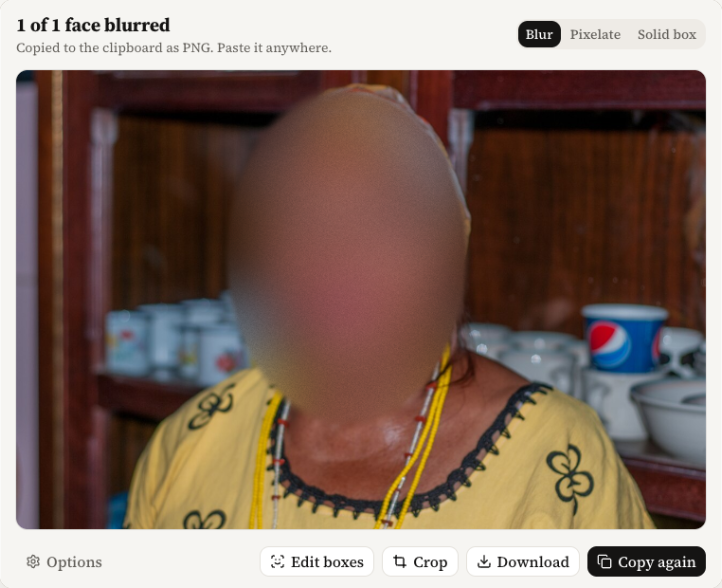
Choose “Blur faces and copy”. Leon finds the faces, blurs them, and puts a PNG on your clipboard. Paste it anywhere.
FreeLeon finds every face in an image, a screenshot or a video and blurs it, right in your browser. Nothing leaves this device. Not a frame, not a face.
Pick the one that fits the moment. Each one runs on your device, in Chrome, Firefox or Safari.
Choose “Blur faces and copy”. Leon finds the faces, blurs them, and puts a PNG on your clipboard. Paste it anywhere.
FreeClick Leon's toolbar button or press Alt+Shift+F. Every face on the visible tab gets blurred. Drag to crop the part you need.
FreeRight-click a video and choose “Blur and save this video…”, or drop in a file. Leon blurs every face, frame by frame, and saves an mp4. Free handles clips up to 60 seconds. Pro takes any length.
Free up to 60 s · PRO any lengthRight-click a video you're watching and choose “Preview blur live”. A line splits it: the original on one side, every face blurred on the other. It's a preview for comparing: it runs a step behind the video, so for a copy you share, use Studio. Firefox and Safari can't preview a video served by another site.
FreeThe blurred PNG lands on your clipboard before you've let go of the mouse. Then make it exactly right.
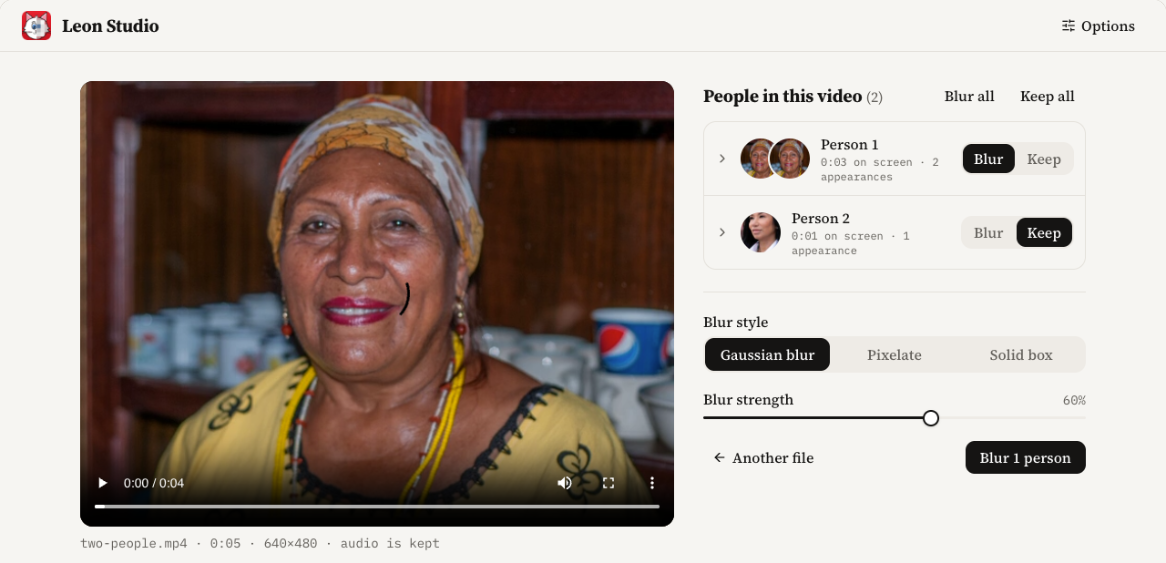
Leon lists every person in your video. Flip one switch per person, or per appearance, and only the faces you choose get blurred.
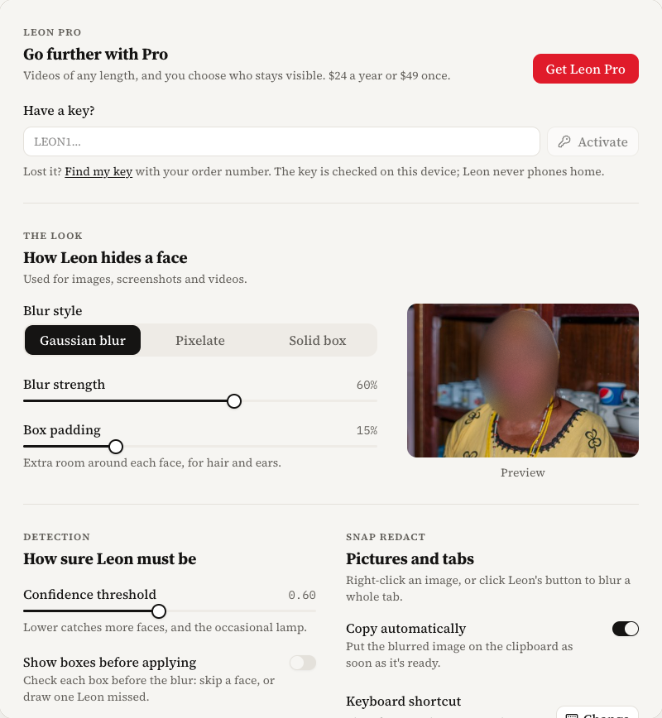
Set the blur strength, the padding around each face, how sure the detector must be, and whether Leon copies on its own. Saved on this device only.
Everything for images and screenshots is free. Pro is for video: any length, and you decide who stays visible.
For images, screenshots and short clips.
For people who share video every week.
Pay once. Pro is yours for good.
Prices in US dollars. Paddle.com, our reseller and merchant of record, runs the checkout and handles sales tax. One key works in Chrome, Firefox and Safari. Already paid? Find my key.
Leon finds faces with YuNet, an open face detector under the MIT license, built into the extension. Your files never meet a server.
The extension makes none. No analytics, no accounts, no telemetry. Pull the cable and Leon still works.
Your license key is checked on the device. Leon never asks a server whether you paid.
No cookies, no analytics. Find my key sends your order ID and email once, and the server stores nothing.
No. The face detector runs inside the extension, on your device. Leon makes no network requests at all, so there is nowhere for a picture to go.
It catches most faces turned toward the camera or partly away. Tiny, very blurry or fully turned faces can slip through, so look before you share. Turn on “Show boxes before applying” to check each box first, or draw one over a face Leon missed.
No. It's for comparing. The blurred side runs one detection step behind the video, and a face that just walked in shows for a few frames before its blur does. For a copy you share, use Leon Studio: it looks at every frame first, then renders.
It turns itself on. Right after checkout, the key page hands your key to Leon in the same browser, no copying. On another browser or computer, open Find my key with the order ID from your receipt and the email you paid with, and paste the key in Leon's options. It's checked on your device and works offline from then on.
Each key runs 14 days past the date you've paid through, so a slow renewal never locks you out. After a renewal, look your key up again for the new year. If the plan ends, Leon goes back to Free and keeps working.
Open Find my key with the same order ID and email. You get your key again, as often as you need, on any computer.
Desktop Chrome 116 or newer, Firefox 140 or newer, and Safari 17 or newer on macOS. Edge and other Chromium browsers take the Chrome build. In Firefox and Safari, the live preview works on a page's own videos, not on videos served by another site.